
Arborium is AI slopware and should not be trusted
It would be an understatement to say that I am mildly interested in syntax highlighting.1 While I have yet to write a full-fledged parser myself, my blog's2 syntax highlighting plugin is custom-built. Under the hood it uses the Lezer3 parsing and highlighting system, which is inspired by the gold standard of syntax highlighting used in all modern code editors except Visual Studio Code: tree-sitter. I think Lezer is a great tool and it's especially great in the use case of syntax highlighting on the web,4 but I've still kept my eye out for the chance to use tree-sitter instead.
Last weekend while scrolling through some quieter feeds in my RSS reader, I came across an article which might be the something better I was looking for.
 fasterthanli.me
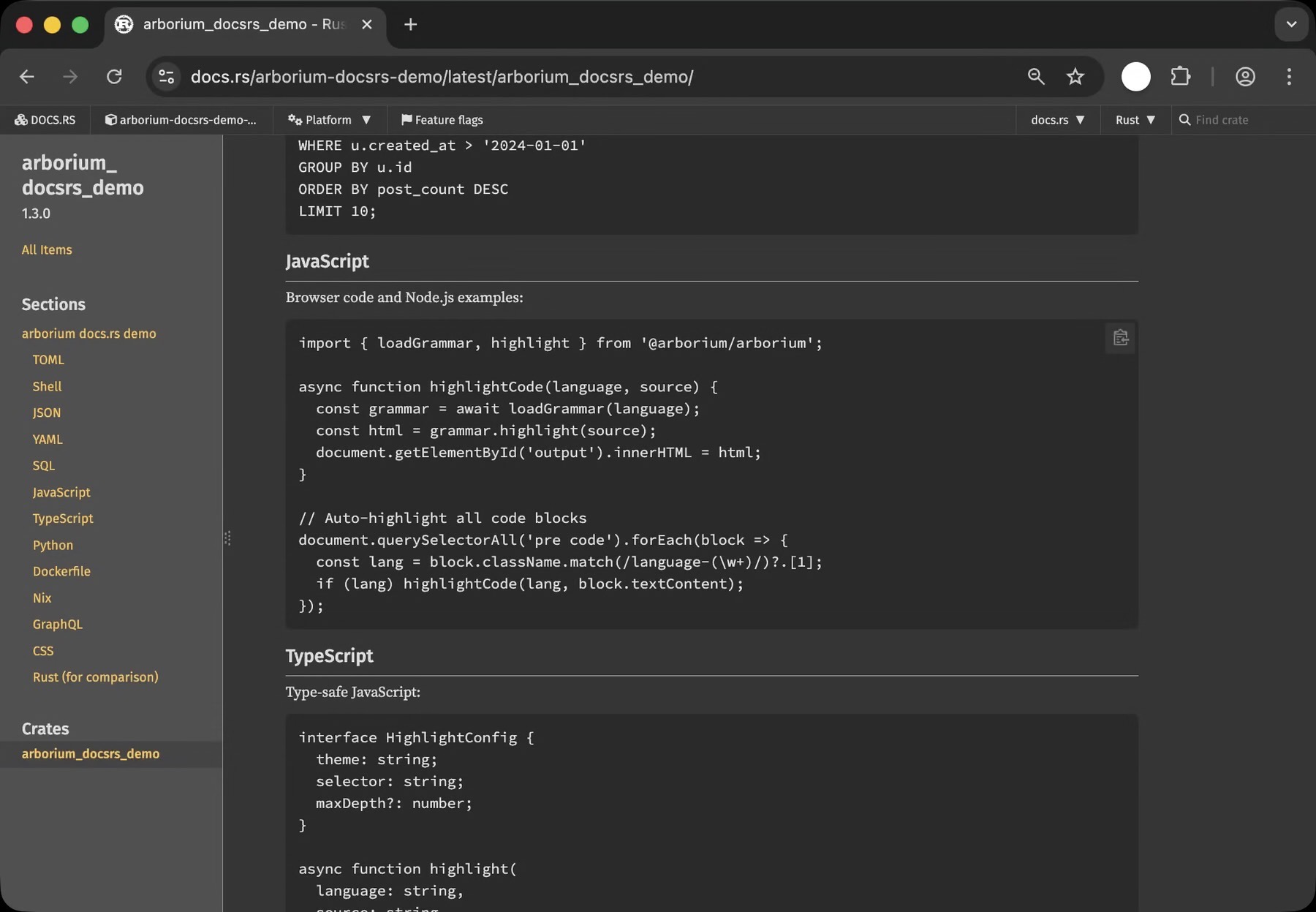
Introducing arborium, a tree-sitter distribution
About two weeks ago I entered a discussion with the docs.rs team about, basically, why we have to look at this: When we could be looking at this: And of course, as always, there are reasons why thi...
Arborium is a high-performance syntax highlighting tool powered by tree-sitter created by Amos Wenger. Amos (also known as fasterthanlime) is a long-time open source developer who I greatly respected. I learned Rust from his Advent of Code article series, and I appreciate his commitment to correctness and speed. I was especially excited to learn about Arborium because it was designed to work on the web using Javascript. I could use this!
Trapped in the Arborium
I started writing code to integrate it into my site immediately and had a plugin ready within an hour or so. Here’s the relevant code (edited for clarity):
codeElements.forEach(async (element: Element) => {
	const programmingLanguage = detectLanguage(element);
	// highlight is the all-in-one function from arborium that does all the real work
	const highlightedText = await highlight(programmingLanguage, element.textContent);
	element.innerHTML = highlightedText;
});
I tried building the site and...

Ouch... It didn’t work, but this is a simple problem. window is a global object that can be accessed anywhere in the browser because only the browser has a window. It doesn’t exist if you’re running Javascript code outside of the browser like with Deno.5 And if you try to use window then you’re advised to replace it.

I read through Arborium’s Javascript source code and found out that, as part of setup, highlight directly calls some code that tries to access window. No worries, there’s a more direct way of highlighting code that circumvents highlight’s setup phase. I’ll do that instead
codeElements.forEach(async (element: Element) => {
	const programmingLanguage = detectLanguage(element);
	// const highlighted = await highlight(lang, element.textContent);

	// loadGrammar tells Arborium to load the language you want to use.
	const languageGrammar = await loadGrammar(programmingLanguage);
	const highlightedText = languageGrammar.highlight(element.textContent);
	element.innerHTML = highlightedText;
});
And then I build my site again, and...
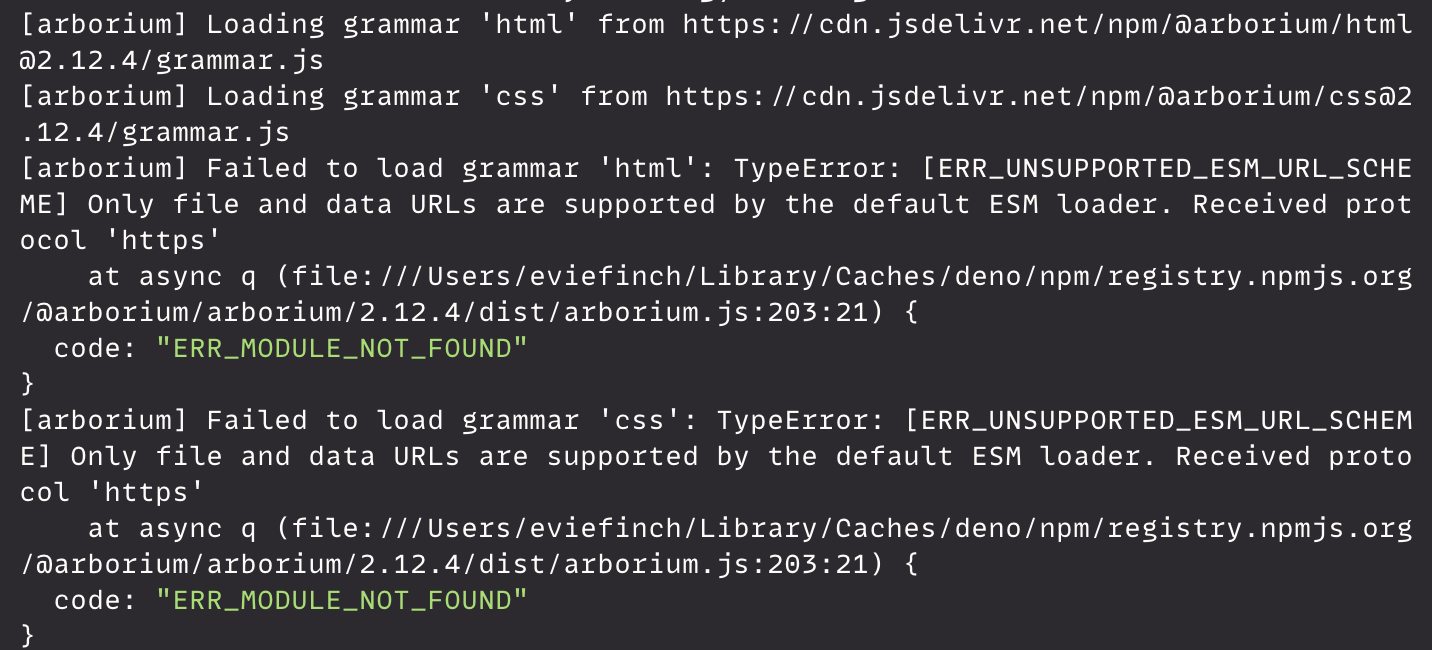
Ough... It didn’t work. I looked into it and this might be a Deno issue, which is less well-supported than the more commonly used Node. Arborium also appears to be doing some hacky dynamic code importing that isn’t playing nice with the way Deno expects imports to work. I haven’t tested this in Node, so maybe it works better there. Regardless, I’ve read enough of the source code to have learned that Arborium has some completely undocumented6 configuration options that would let me replace its dynamic code importing code with my own, so I guess I can do that.
codeElements.forEach(async (element: Element) => {
	const programmingLanguage = detectLanguage(element);

	// loadGrammar tells Arborium to load the language you want to use.
	const languageGrammar = await loadGrammar(programmingLanguage, {
		resolveJs: ({ programmingLanguage}: ResolveArgs) => (
			// Deno-specific dynamic imports to make the dang thing work
			import(`npm:@arborium/${programmingLanguage}`)
		)
	});

	const highlightedText = languageGrammar.highlight(element.textContent);
	element.innerHTML = highlightedText;
});
That should be everything. In theory, I’ve worked around all these tiny little bugs and now I’m on the easy street of straightforward code that just works.
It should work. I should be done.
![Terminal screenshot. Reads: [arborium] Grammar 'html' loaded successfully. Then it shows a bunch of pending promises. Then it says: error: Uncaught ReferenceError: window is not defined](https://cdn.ewie.online/SCR-20260209-jzvk.png)
I’m back at the first bug.
So here I’m stuck. I try to work around the code that uses window and I run into issues with imports, then I try to work around imports and I run back into issues with window. There’s only one option left, and that’s to file some issues on the GitHub code repository for Arborium and wait for Amos to fix them.
Filing issues
I file two issues, one at Sunday night and the other on Monday morning. About an hour after the second issue, Amos responds saying he’s got a completed pull request7 that fixes all the problems I was running into. This seems like a quick turnaround for some environment-specific bugs, but he’s also a pretty good developer who’s been working on this for much longer than I have. Perhaps his experience meant he could quickly clock what the problem was and fix it, but I then open the PR and find my greatest fears realized.
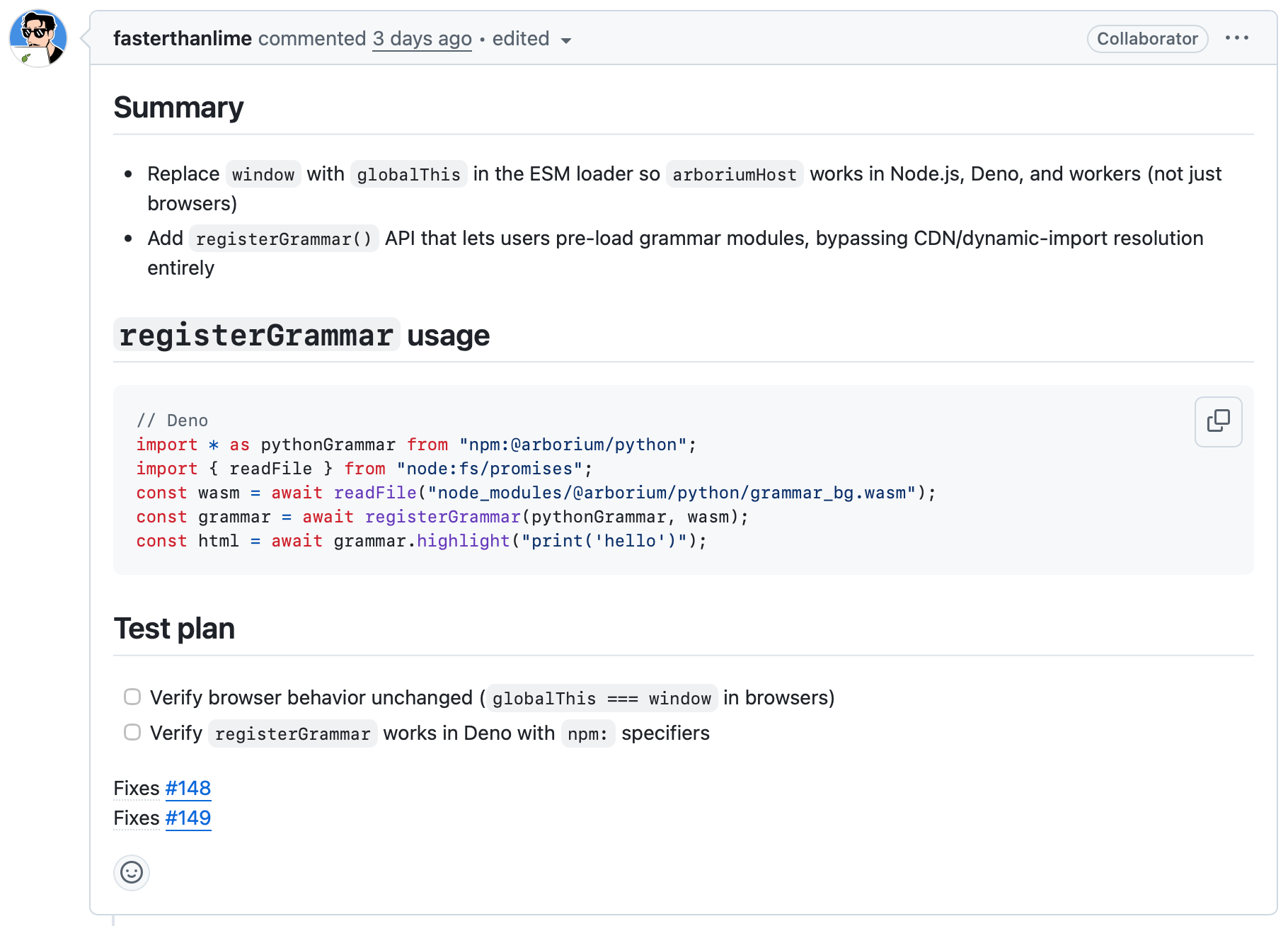
You see, this whole time I’ve been misleading you. While I was trying to debug all these simple yet awkward bugs, a sort of dread was building up in the back of my mind. I was starting to get this feeling that Arborium might be almost completely written by AI.
To demonstrate what I mean by getting a feeling, let’s look at the Arborium website. It’s a nice-looking website, but if you look a little closer you’ll notice some inconsistencies: Arborium’s copy has a few, but not many, AI tells;8 some incorrect or outdated links; all code blocks except the “hero image” code block lack highlighting, which means they’re not formatted in a way that Arborium would recognize (something I would avoid if I were trying to show off my syntax highlighting tool); and, most importantly, there’s a complete lack of documentation. You’re given steps on how to use Arborium in simple use cases, but you’re completely fucked the moment you step outside the golden path, leaving you with no recourse except to read the source code. As you saw earlier, this is what happened to me.
This all added up to this strong AI “vibe”, but I wasn’t looking for it at the time. I had heard some time ago that Amos was dabbling with AI, so I didn’t come in expecting pristine, exclusively human-written code. But, I also did not expect the rot to go this deep. I suspect that the Arborium website and codebase are primarily AI; although I doubt either Amos or I have any way of confirming or denying the percentage of code that’s AI-generated.
This, along with some recent drama I learned about, led me to pass on using Arborium. Even with the bug fixes, I would rather go back to my Lezer integration.
The recent drama
This was not happening entirely in isolation. As I am wont to do, I was bitching about being unable to make Arborium work to my friend Damien. He said that he was unsurprised by the use of AI in Arborium ever since a month ago, when Amos accused zkat (the maker of the miette error-handling Rust library) of “witch hunting” after zkat added Amos to a list called “open slopware”, which I have heard was meant to list software and developers that use AI. Perhaps in part due to Amos’ comments (I am not entirely aware of the timetable), “open slopware” got a lot of backlash, which led to zkat receiving a deluge of harassment, which resulted in her announcing her leave from the open source community the day after Amos’ accusation. At the same time, Amos ripped miette out from all of their open source projects and vibe coded a replacement.
This drama is not the most relevant to Arborium as a project, and I’m not too bothered by Amos replacing a dependency for personal reasons,9 but I find it to be a bit childish to make AI write a replacement for a significant dependency for all your open source projects in such a short period of time. At least treat the process of replacing this dependency with the gravitas it deserves to ensure that the end user of the library doesn’t have a degraded experience from your drama.
Back to Lezer
While returning to Lezer took no effort, I could apply the lessons I learned from integrating Arborium to improve my Lezer plugin.10 Doing this saved about 100 lines of code and greatly simplified the logic. Arborium still had some features that my own plugin lacked, like using custom HTML tags to mark up the code to reduce file sizes, but it would be trivial to implement them myself.
I have come away from this with a newfound appreciation for Lezer. While it has some issues, it also has real documentation, a similar level of power to tree-sitter (with minimal concessions made for the limitations of the web), and is easy to work with. The most complicated code that I needed to make Lezer work is still simple enough to be embedded in a blog post. (It was, in fact, embedded in Joel Gustafson's Syntax Highlighting on the Web.) The only trade-off I’m making is an increased difficulty in using off-the-shelf coding themes, but my blog uses a custom-built coding theme, so that’s not a problem for now. It was also recommended by the Xi-Editor guy, if that’s worth anything.
Out of an abundance of caution, I have reached out to the developer of Lezer, Marijn Haverbeke, on whether they used AI in their code. Here is their response:
No, I don’t use language models and I’ve been updating my contribution guides to forbid slop code in pull requests.
But does Arborium work?
Even though I have moved away from Arborium due to my own personal distaste of AI-“enhanced” development, this is not something a developer with weaker moral convictions would care about. Amos fixed the bugs! They even implemented manually importing programming language grammars, something that I off-handedly mentioned that I would appreciate. If you didn’t care about any of the other drama, this sounds unambiguously good. I thought it would be prudent to see for myself before publishing this blog post, so I updated all my code to match what was described in the PR:
// Deno has its own method for reading files, but it’s what the PR said to use.
import { readFile } from "node:fs/promises";
import * as htmlGrammar from "https://cdn.jsdelivr.net/npm/@arborium/[email protected]";
import * as cssGrammar from "https://cdn.jsdelivr.net/npm/@arborium/[email protected]";

const programmingLanguages: Record<string, unknown> = {
	html: htmlGrammar,
	css: cssGrammar,
};

// The PR said to import the wasm from the node modules folder, which Deno lacks.
// I had to download it myself from jsdelivr.
const wasmFiles: Record<string, unknown> = {
	html: await readFile("./helpers/arborium/html_grammar_bg.wasm"),
	css: await readFile("./helpers/arborium/css_grammar_bg.wasm"),
};

codeElements.forEach(async (element: Element) => {
	const programmingLanguage = language(element);

	const languageGrammar = await registerGrammar(
	  programmingLanguages[programmingLanguage],
	  wasmFiles[programmingLanguage] as any, // this was the only way I could make it work
	);
	const highlightedText = await languageGrammar.highlight(element.textContent);
	element.innerHTML = highlightedText;
});
This is so much more complicated and hacky than my updated Lezer plugin. Even if it works, I would not want to use this and it would feel too brittle to not feel like my blog would break at any moment, but I’m trying to roughly match what the pull request says to do. I build, and...
![Failed to load host: TypeError: [ERR_UNSUPPORTED_ESM_URL_SCHEME] Only file and data URLs are supported by the default ESM loader. Received protocol 'https'](https://cdn.ewie.online/SCR-20260211-kxtt.png)
I guess I shouldn’t be surprised.
Footnotes
-
Syntax highlighting is just highlighting parts of code to make it more aesthetically pleasing and easier to read. In other words, it’s when the code has pretty colors attached to it. ↩
-
Which is built with Lume! A really great static site generator inspired by 11ty that manages to balance power with ease of use. I don’t think any other static site generator would be simple enough and well documented enough for me to build my own plugins like this. ↩
-
Lezer is also what powers Codemirror. If you don’t know what that is, it’s a code editor that runs in the browser. You’ve probably seen it before, since it’s used in everything from Chrome DevTools to the Obsidian note-taking app. ↩
-
In Lezer’s own words, “Unfortunately, tree-sitter is written in C, which is still awkward to run in the browser (and CodeMirror targets non-WASM browsers). It also generates very hefty grammar files because it makes the size/speed trade-off in a different way than a web system would.” ↩
-
This also applies to other non-browser Javascript runtimes, like Bun and Node. ↩
-
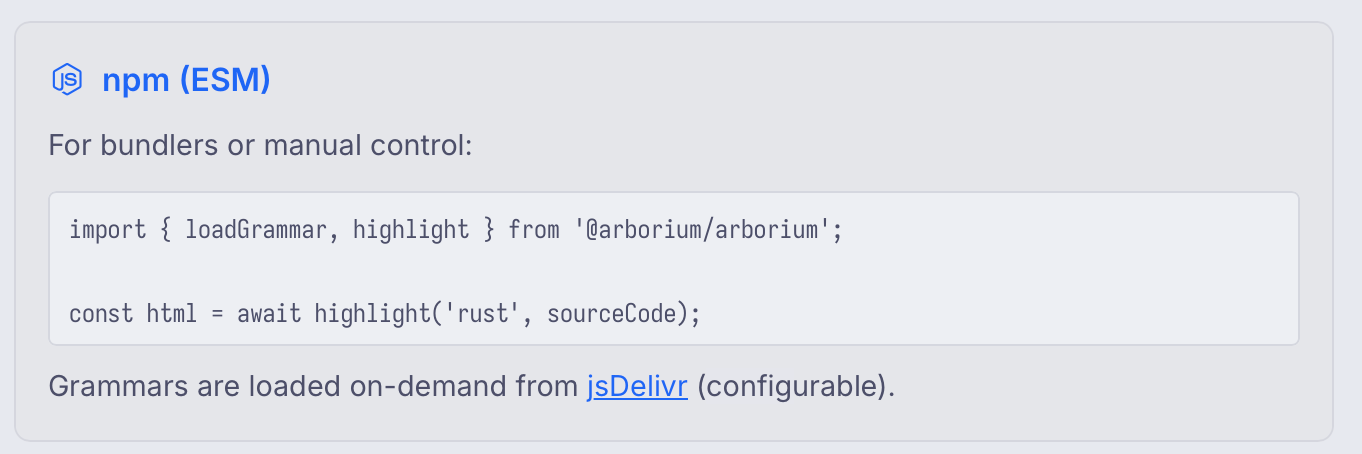
This does not count as documentation.
 ↩
↩ -
A way for a developer to notify other developers that they have completed a feature. ↩
-
What I've noticed is its use of the royal "we" and also some catchphrases like "that one's hard" and some other common AI marketing-esque phrases. I don't really see any of these used on other syntax highlighting websites in the same way that Arborium uses them. ↩
-
It could be argued that this blog post is a lengthy justification for removing Arborium from my site for personal reasons. ↩
-
I also turned it from a Rehype plugin to a regular Lume plugin! This is not faster since Lume renders posts concurrently, so maybe I shouldn't do it, but it does feels simpler and it should take less work to bring it up to feature parity. ↩